
 Tim Kencang.in
Click counts are only the beginning. The Kencang.in analytics dashboard stores the context behind each click. This article explains how to read every panel so your decisions rely on data rather than guesses.
Opening statistics
In the link list, click the chart icon, or open kencang.in/ALIAS/stats if public statistics are enabled. Choose a date range at the top; every panel follows that range.
Total and unique clicks
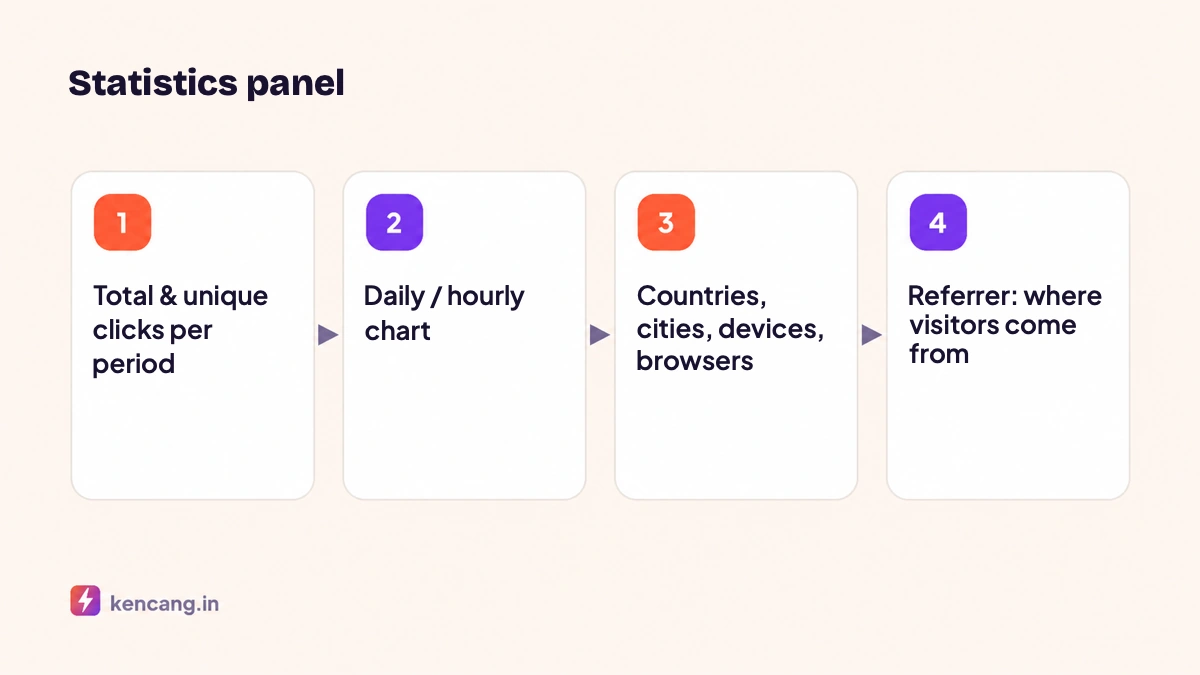
Total clicks counts each visit. Unique clicks count distinct visitors based on an IP address and device combination over a certain period. A high total-to-unique ratio means the same people click repeatedly, common for internal team links or bookmarked links. For ad links, a ratio close to 1 is more typical.
A spike in total clicks without a rise in unique clicks often suggests bots or preview scanners. Kencang.in filters known crawlers, such as search-engine bots and WhatsApp or Telegram preview fetchers, from statistics, but cannot identify every bot.
Time charts
Daily charts show trends; switch to hourly view to see when the audience is active. This pattern determines the best time to send broadcasts or show advertisements. Compare two campaign links from the same period to see which material is stronger; for controlled testing use A/B rotator.
Countries and cities
Location is derived from the IP address through a geolocation database; the full IP address is then not stored, in line with our Privacy Policy . Country accuracy is very high; cities are approximate because mobile operators often route traffic through network hubs. For regional advertising, this panel checks whether delivery matches your target and guides geo targeting for the next campaign.
Devices, operating systems, and browsers
If 85% of clicks come from phones while your landing page is designed for desktop, this explains low conversions. This panel also guides deep link: the proportion of iOS and Android determines the test priority. In-app browsers, such as the Instagram browser, are listed as separate browsers so you know how much traffic is coming from within the social app.
Referrer (referral source)
A referrer is the address of the page where a link was clicked, sent by the browser in the HTTP header Referer (this spelling is part of the standard; see the explanation on MDN). Some important notes:
- Apps like WhatsApp, Telegram, and most mobile apps do not send referrers, so clicks are recorded as "Direct".
- Many sites use referrer policies that only send domains, not complete pages.
- Therefore, for reliable attribution, create different aliases per channel or use UTM. Don't rely solely on referrers.
Language
The visitor's browser language helps decide whether a site needs another language version, and is the basis for language targeting.
Exports and reports
Statistics can be exported to CSV for processing in spreadsheets, or pulled via API for internal dashboards. The Campaigns feature combines several links into one report, useful for seeing total clicks for a launch using many aliases. For real-time monitoring, enable Slack or webhook notifications.
Data retention
Statistics retention depends on the plan: 30 days on Free, 365 days on Pro, and unlimited on Business. After retention expires, detailed data is deleted while total click counts remain. Export data regularly if your plan has limited retention. See plan details on the pricing page.
Three questions for each report
- Are clicks proportionate to the reach reported by the platform? If much lower, the creative or call to action is weak.
- Do the locations and devices match the target assumptions? If not, ad serving or channel selection needs to be reviewed.
- Where do visitors drop off between clicks and conversions? The answer comes from combining link statistics and site analytics.
Frequently asked questions
Why does Kencang.in show more clicks than Google Analytics sessions?
A click is counted when a redirect occurs, while a session is counted when the landing page finishes loading the analytics script. Visitors who close a page before it loads, block scripts, or experience a slow page are not recorded in site analytics.
Are bots filtered out of statistics?
Known crawlers, including search-engine bots and messaging-app preview fetchers, are automatically filtered. Bots posing as normal browsers are not always detected; watch for repeated clicks from one location in a short period.
Can statistics be shared with clients without granting account access?
Yes. Enable public statistics for the link, then share its statistics address. Alternatively, export a CSV or invite the client as a team member with permission only to view statistics on the Business plan.
What happens after the retention period expires?
Detailed data such as location and device per click is deleted, while the total number of clicks remains saved. Export data before the retention period ends if you need details for long-term reporting.