

 Tim Kencang.in
Expired promotions whose links still circulate cause disappointed customers and repeated customer-service questions. With expiration and click limits, links stop working when the promotion ends and visitors go to a page you choose rather than an error page.
Three available settings
Expiration date
Set the date and time when the link becomes inactive. The time zone follows your account settings. Afterward, the link shows the default "link expired" page or redirects to your chosen URL.
Click limit
Set a maximum click count. This suits "first 100 people" coupons or limited access. The count uses total clicks rather than unique clicks, so adjust accordingly. We explain the difference in the article on reading the analytics dashboard.
Redirect after expiration
The destination URL used when a link expires or reaches its limit. This is the most frequently forgotten and most influential setting: redirect to a catalog, the next promotion page, or a waitlist form so late clicks still have value.
Usage scenarios
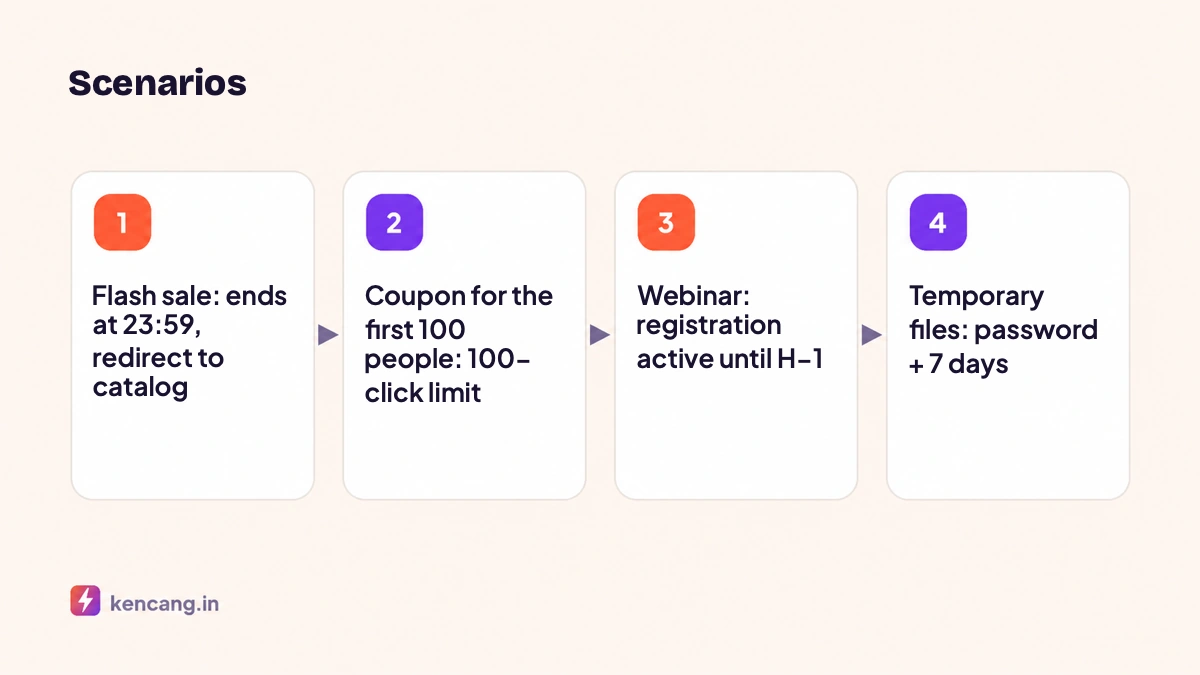
Flash sale
Link kencang.in/flash remains active until 23:59, then redirects to the catalog with a "Next flash sale Friday" message. Promotional materials still circulating in WhatsApp groups continue to generate useful visits.
Limited coupons
Limit access to a coupon-claim page to 100 clicks, then redirect to "quota reached, register for the next round". Since this counts total clicks, consider a limit slightly above the actual quota; final validation still happens in your coupon system.
Event registration
The registration link expires on H-1, then leads to the schedule and location page, which participants need as the event approaches. Combine this with dynamic QR codes on the poster.
Temporary file sharing
Link to a prerelease document with a password and 7-day validity. Afterward, the link stops working even if the file remains in storage. Add the security layers discussed in the article on short link security.
Seasonal affiliate programs
Affiliate links per partner that expire with the program period, preventing commissions from being claimed after the program ends.
How to configure it
- Create or edit a link and open the Expirationtab.
- Enter a date, a click limit, or both. Whichever is reached first takes effect.
- Enter the redirect URL for after expiration. If blank, visitors see the standard expired-link page with your brand name.
- Save. Settings can be changed at any time, including extending expired links.
Through the API, use the parameters expiry (date), clicks (limit), and expiryurl; see details in the developer documentation. This allows your system to automatically create promo links with an active period calculated from campaign data.
Best practices
- Always set a redirect after expiration. An error page is a lost opportunity.
- State the deadline in the promo materials so that expiration doesn't feel abrupt.
- Monitor statistics leading up to the click limit to decide whether the quota needs to be increased.
- Do not reuse aliases from old promotions for different new promotions; visitors using old materials will lose their way. Create a new alias and leave the old one redirecting to the catalog.
- Use Campaigns to group every link for one promotion, making combined reports easy to read after it ends.
How this differs from disabling a link
Manually disabling a link also stops it, but is not automatic and does not redirect elsewhere. Expiration is a scheduled version with a fallback destination. For campaigns with fixed dates, set it up from the start; a minute of setup saves many customer questions. Expiration is available on every plan, including Free, while click limits start on Pro; see the pricing page.
Frequently asked questions
Can expired links be reactivated?
Yes. Open the link in the dashboard, change or remove the expiration date and click limit, then save. The link becomes active again immediately with the same alias and statistics.
Does the click limit count unique clicks?
No, the click limit uses total clicks. If your quota is 100 people, consider a slightly larger limit to accommodate multiple clicks from the same person, and perform final validation in the coupon system.
What time zone is used for the expiration date?
The time zone configured in your account profile. Check it before scheduling a promotion ending at a specific time to avoid being off by several hours.
Can expiration be set via API?
Yes, using expiry for the date, clicks for the click limit, and expiryurl for the redirect page after expiration. This lets your promotion system create links with automatic validity periods.