
 Tim Kencang.in
QR codes look similar on the surface: black-and-white squares scanned by a phone camera. But two types behave very differently, and choosing the wrong one could mean reprinting thousands of plans. This article explains the difference between static and dynamic QR codes, and when each is worth using.
Static QR codes
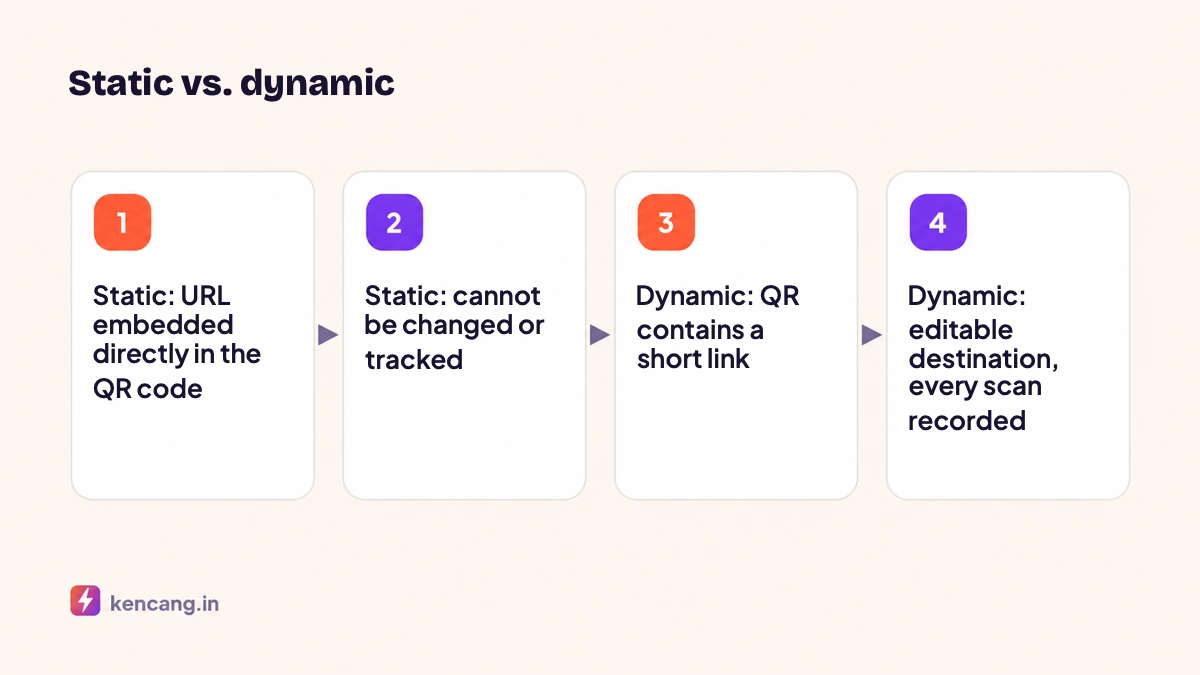
With a static QR code, the destination data (a URL, text, phone number, vCard contact card, or WiFi configuration) is encoded directly into the square pattern. Once printed, its contents are permanent. There is no server between the scanner and the destination, so there are no statistics. The advantages: it keeps working without depending on any service, and suits data that will not change, such as a café's WiFi SSID or an office phone number. The technical QR code standard is defined in ISO/IEC 18004; a summary of its history and structure is available on Wikipedia.
Dynamic QR codes
With a dynamic QR code, a short link is encoded, for example kencang.in/menu. When scanned, the phone opens the link and the server redirects it to the actual destination. This redirect layer lets you change the destination at any time and records every scan: time, location, and device. It works on the same principle explained in the article what is a link shortener.
Direct comparison
- The destination can be changed: dynamic yes, static no.
- Scan tracking: dynamic yes, static no.
- Matrix size: dynamic codes are smaller and simpler because they contain only a short link, making them easier to scan; static codes grow with the URL length.
- Service dependency: dynamic codes need an active redirect service; static codes do not.
- Targeting: dynamic codes can direct iOS and Android users to their respective app stores; static codes cannot.
When to use static QR codes
- Absolutely fixed data: guest WiFi, emergency numbers, location coordinates.
- Documents that must remain readable for years without relying on third-party services.
- Offline use, for example internal inventory labels.
When to use dynamic QR codes
- Restaurant menu: prices and menus change, while the QR code on the table does not need reprinting.
- Product packaging: direct visitors to an updatable seasonal promotion page, user guide, or warranty form.
- Print advertising and billboards: measure how many people scanned, in which cities, and at what time.
- Event: a QR code on a ticket or banner can lead to registration today and presentation materials tomorrow.
- Mobile application: one QR code opens the App Store or Play Store according to the device, using a deep link.
Creating a dynamic QR code on Kencang.in
- Open the QR Code menu in the dashboard and choose the content type (URL, vCard, WiFi, text, and others).
- Enter the destination. For a URL, the system automatically creates a short link behind it.
- Set colors, module shapes, eyes, frames, and logos. Find guidance on keeping your QR code readable in the article on designing QR codes with logos.
- Download as PNG for digital use or SVG/PDF for high-resolution printing.
For hundreds of QR codes, such as one per product serial number, use the bulk QR feature or the API.
Printing tips
Use a minimum size of 2 x 2 cm for close scanning, adding about 1 cm for every extra 10 cm of scanning distance. Leave an empty area (quiet zone) around the QR code. Test it with several phones before bulk printing. Since you can test a dynamic QR code's destination, point it to a "coming soon" page during production, then change it when the campaign starts.
Dynamic QR codes are available on all plans with different quotas; the Free plan includes 3 dynamic QR codes, enough to try them. See the QR Code and pricingpages.
Frequently asked questions
Will a dynamic QR code stop working if the service closes?
Dynamic QR codes depend on a redirect service. Choose a stable provider and, for materials with a long lifespan, use your own branded domain so you can move the redirects to another service without reprinting packaging.
Can a static QR code be changed to a dynamic one?
No, because a static QR code's contents are permanently printed. You can create a new dynamic QR code for the next print run. If the old static QR code points to a page on your own site, set up a redirect there as a temporary solution.
Are dynamic QR codes slower to scan?
No. Quite the opposite: a dynamic QR code contains only a short link, making its matrix simpler and easier for the camera to read. Server redirects take only a few milliseconds and are imperceptible to users.
How many dynamic QR codes can I create?
The Free plan includes three dynamic QR codes, the Pro plan 100, and the Business plan an unlimited number. All plans support custom colors, shapes, frames, and downloads in PNG, SVG, and PDF formats.