

 Tim Kencang.in

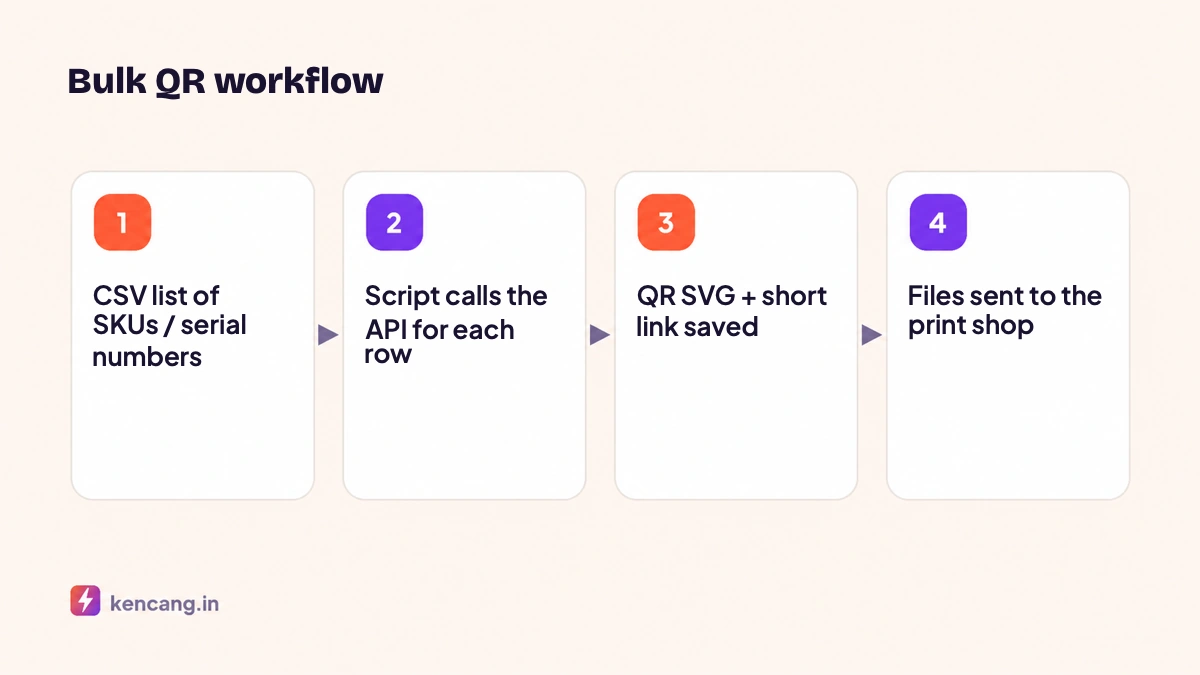
One QR code for all products is enough for a brochure, but not for packaging. Manufacturers want every SKU, or even every serial number, to have its own QR code leading to the right product page, activating a warranty, or verifying authenticity. Creating thousands of QR codes manually is impossible; through the API, one script can do the job.
Why use dynamic QR codes on packaging?
Packaging is printed once and circulated for years. With dynamic QR codes, the destination of each QR can be changed at any time: today to the product page, when there is a recall to the official announcement, during the promotion to the coupon page. Every scan is also logged, so you know which products were scanned, in which cities, and when.
Designing an alias scheme
Before creating codes, define a deterministic alias pattern, because the alias connects the physical QR code to your data:
- Per SKU:
p-ab1234. Enough for product and promo pages. - Per serial number:
s-ab1234-000981. Required for warranty and verification of authenticity. - Per production batch:
b-2026w31-ab1234. A compromise between the two for distribution tracking.
Deterministic aliases also make the script idempotent: if rerun, the API rejects existing aliases and you know those QR codes were already created. We cover alias naming rules in the article on custom aliases.
Endpoint used
POST /api/qr/add accepts type (link, text, vcard, wifi, etc.), data contains the destination, name as internal label, custom for the short link alias behind it, as well as design options such as color, logo, frame, and format output (png, svg, pdf). The response contains the QR ID, short link, and image file URL. See the full parameters in the developer documentation.
Batch script
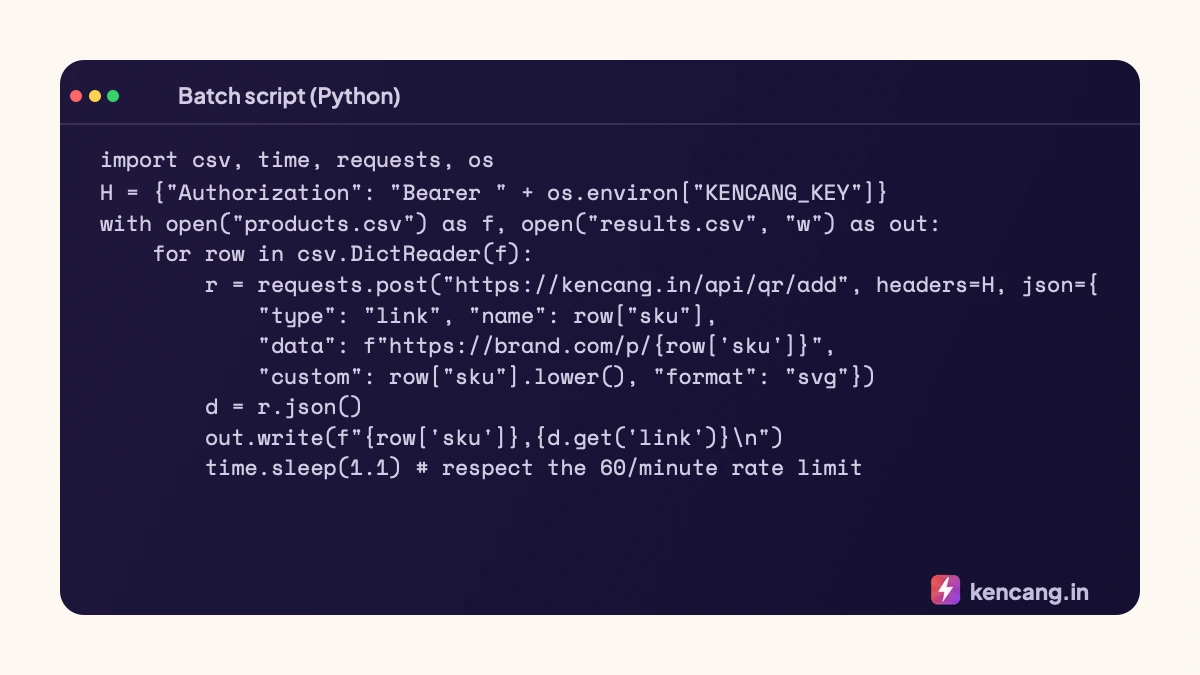
Some notes for the above script:
- A 1,1-second delay keeps requests below 60 per minute (the Pro plan). The Business plan allows 300 per minute, so you can reduce the delay. See the full explanation in the article on rate limits and error handling.
- Save the results to a file in stages, so that if the script stops in the middle, you can continue from the last line.
- Request SVG for print; vectors stay sharp on a 1,5 cm label or a poster. Read the technical reasons in the article on designing QR codes with logos.
- Add a consistent design (brand color, small logo) through parameters so every QR code matches without manual editing.
No-code alternative
For hundreds rather than thousands, the Bulk QR menu in the dashboard accepts a CSV file with name, destination, and alias columns, then generates a ZIP archive containing all the images. This feature is available on the Pro plan and above (see pricing).
Sending files to the print shop
- Print shops generally accept variable data as a folder of SVG/PDF files named by SKU or serial number, plus a mapping CSV. Make filenames match aliases exactly.
- Include a print sample for a test scan before full production. Size and quiet-zone standards follow ISO/IEC 18004.
- Point every QR code to a "coming soon" page first; update their destinations in bulk through the API when the product goes on sale.
Reading scan data
Since each QR has its own alias, statistics can be pulled per product via GET /api/url/{id} or viewed in the dashboard. Group QR codes into Campaigns by product line to see combined figures. You can also send scans in real time to a warehouse system or CRM through a webhook, for example to activate a warranty automatically when a consumer first scans.
Frequently asked questions
How long does creating a thousand QR codes through the API take?
With the Pro plan capping at 60 requests per minute, that's about 17 minutes. With the Business plan allowing 300 requests per minute, that's about 4 minutes. Run the script in the background and save the results incrementally.
Can I update all bulk QR code destinations at once?
Yes. Every QR code has an ID and alias, so the same script can call the update endpoint to change destinations in bulk, such as when a product page moves or a new campaign starts.
Which file formats do print shops accept for variable data?
Typically the folder contains SVG or PDF named after the serial number, plus the mapping CSV. Make sure the file name exactly matches the alias to avoid incorrect matching, and include a print sample for a test scan.
Can scans per serial number help verify authenticity?
Yes, as an initial layer. Scans from many different cities for one serial number suggest possible counterfeiting. For strong verification, combine this with an activation system in your application.