

 Tim Kencang.in
A good integration works when things run smoothly and knows what to do when the server rejects a request. This article covers the two most common causes of Kencang.in API integration problems: exceeding rate limits and misinterpreting errors.
How rate limits work
Rate limiting caps the number of requests per minute for each API key, keeping the service stable for all users. Limits depend on the plan: Pro allows 60 requests per minute and Business 300; see the details on the pricing. The count resets every minute (a fixed window), rather than using a sliding window.
Each response includes headers:
X-RateLimit-Limit: per minute limit for your key.X-RateLimit-Remaining: requests remaining in the current minute.Retry-After: only on 429 responses, the number of seconds before you can retry. This header is standardized in MDN.
Strategies for avoiding 429 responses
- Batch requests on your side. If you need to create 500 links, do not send everything at once. Queue them and process within the limit, for example 50 per minute at evenly spaced intervals.
- Cache results. Data that rarely changes, such as a list of domains or link details, does not need to be requested repeatedly.
- Use paginated list endpoints instead of requesting details one by one.
- Monitor
X-RateLimit-Remainingand slow down proactively when approaching zero.
Handling 429 with exponential backoff
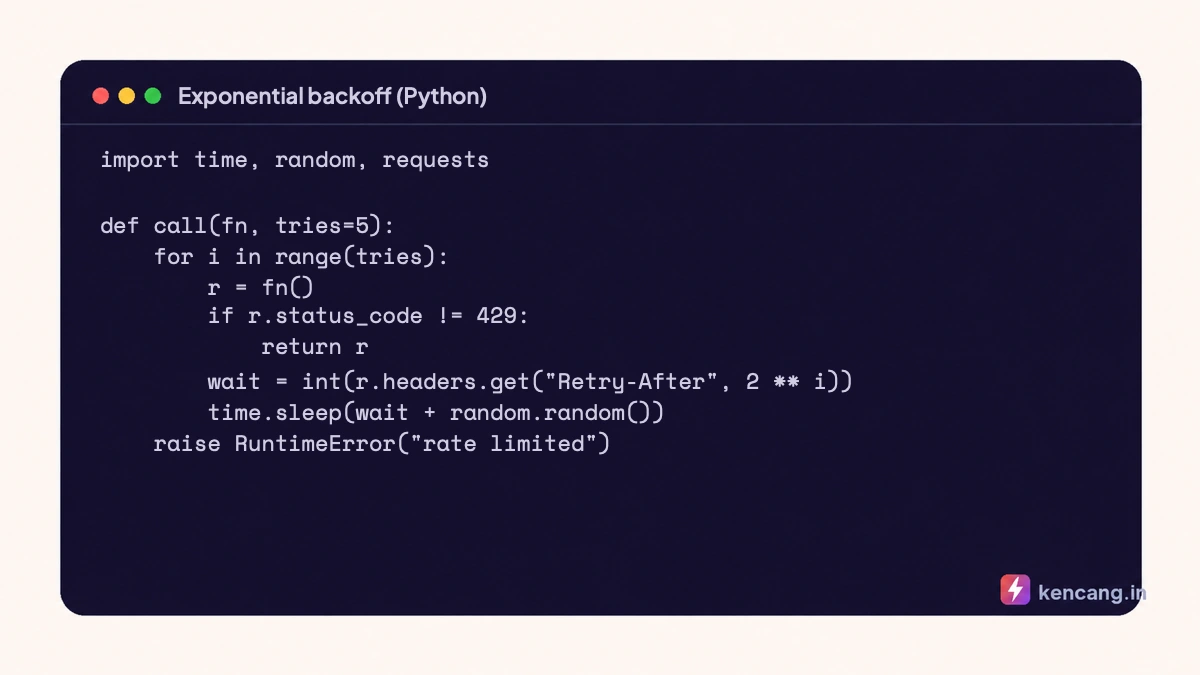
When you receive 429, respect Retry-After. If the header is missing, use exponential backoff: wait 1, 2, 4, 8 seconds, plus random jitter so that multiple clients don't retry in the same second. This pattern is widely recommended, including in Google Cloud's retry guidance.
Error codes and their meanings
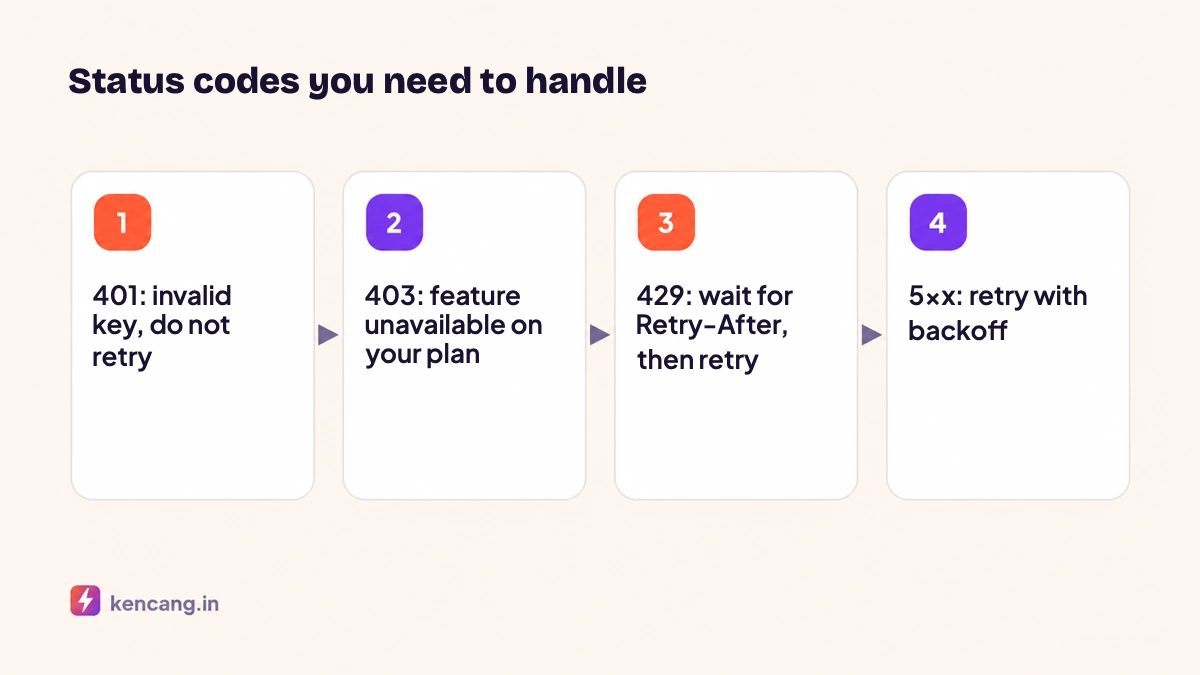
- 400 Bad Request: the body is not valid JSON or a required parameter is missing. Check
Content-Typeand payload structure. - 401 Unauthorized: the API key is missing, incorrect, or revoked. Do not retry; fix the key.
- 403 Forbidden: the feature is not included in your plan, such as branded domains on the Free plan, or your monthly link quota is used up.
- 404 Not Found: the link ID does not exist or does not belong to your account.
- 429 Too Many Requests: rate limit reached. Wait and retry.
- 500/502/503: a temporary server issue. Retry with backoff a few times at most, then log it for review.
Besides the HTTP status, the response body always contains error and message. Business validation errors, such as "alias already in use" or "URL blocked as dangerous", are returned with a status of 200 and error: 1. Check both. We explain URL security checks in the article on short link security.
Idempotency and duplication
If a POST request times out on the network, you do not know whether the link was created. Retrying can produce two links. Use a deterministic alias, such as an order ID. If the alias already exists, the API returns an "alias already in use" error, and your application can retrieve the existing link through the search endpoint instead of creating a new one.
Useful logging
For each call, log the endpoint, HTTP status, X-RateLimit-Remaining, and message on failure. Do not log API keys. These logs reveal patterns, such as a spike in 429 responses every day at 9am when cron runs, so you can spread out the schedule.
When to upgrade your plan
If logs show you regularly reach the limit despite batching, this indicates real load rather than a bug. The Business plan provides 300 requests per minute and unlimited links. For needs beyond that, contact us for a custom plan. Basic examples in all three languages are in the article on API code examples, and complete documentation at developer page.
Frequently asked questions
Is the rate limit calculated per account or per key?
Per API key. If you use several integrations, create a separate key for each so a busy integration does not use up another's quota, and so usage monitoring is easier to read in the dashboard.
Do requests rejected with 429 count toward the limit?
No. Requests rejected for exceeding the limit do not reduce the next minute's quota. But continuing to send requests while throttled wastes resources, so respect the Retry-After header.
How do I increase the request limit?
Upgrade to the Business plan to get 300 requests per minute. For needs above that, such as integration with millions of links, contact us for a custom plan with customized limits.
Does a 5xx error mean my link is lost?
No. A 5xx error indicates a temporary interruption in processing a request, not a loss of data. Retry with backoff; If the outage continues for more than a few minutes, check the status page or contact us.