
 Tim Kencang.in
Short links usually just redirect. Sometimes, though, you want to "greet" visitors before or as they reach a destination, especially when it is not your own site. Kencang.in offers two tools: custom landing pages (splash) and CTA overlays.
Custom landing page (splash)
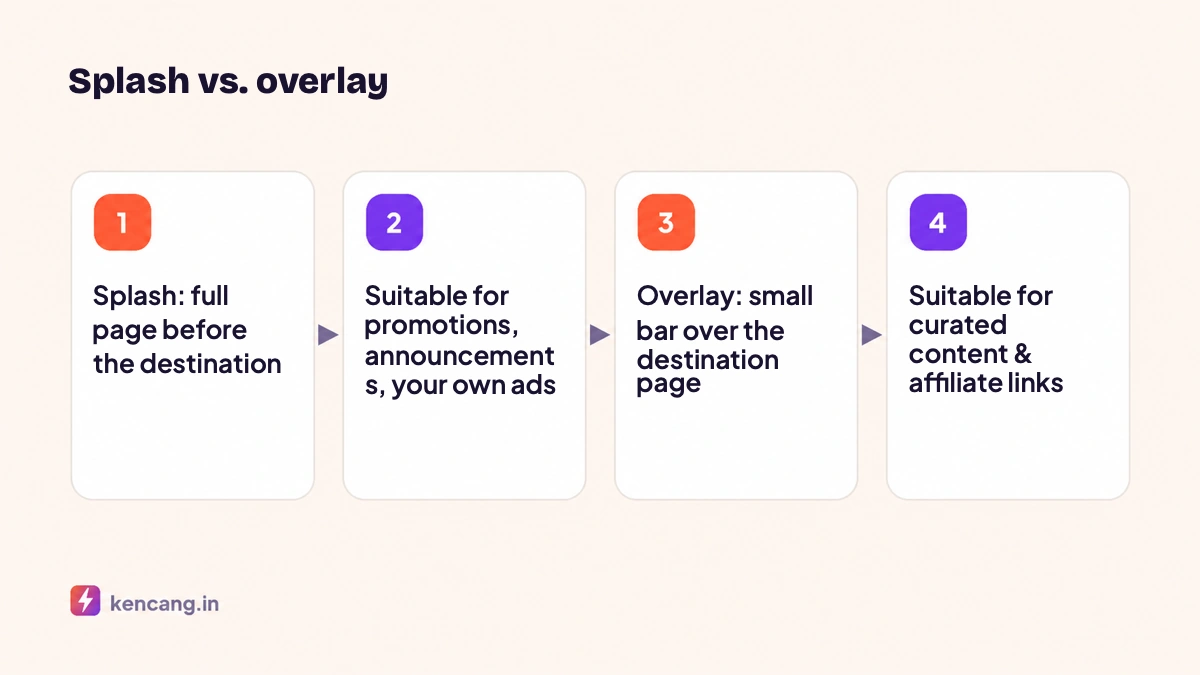
A splash is a full page shown for a few seconds before visitors are redirected, containing a logo, title, description, image, and button. Visitors can wait for the countdown or click the button to continue. Uses include:
- Promote your own offers when sharing third-party content: "Read the article, and get 10% off in our store."
- Important announcements before entering the destination page, for example schedule changes.
- Ensure brand visibility on links distributed by resellers or affiliates.
- A sponsored interstitial page if you manage a community and share outbound links.
Create a splash in the Splash menu with the visual editor, then select it on the desired link with the "Splash" redirect type. One design can serve many links.
CTA overlay
An overlay displays the destination page in a frame, with your own small bar at the top or bottom: a message, button, email form, poll, or contact button. Visitors can still view all the destination content. Uses include:
- Content curation: share news articles with the "Follow us for similar updates" overlay.
- Affiliate marketing: link to the product in the marketplace with your coupon code overlaid.
- Lead collection: email form above relevant content.
- Feedback: short poll "Was this article helpful?".
Technical note: overlays work by loading the destination page in an iframe. Some sites prohibit this via the header X-Frame-Options or Content-Security-Policy (explanation in MDN). For those sites, Kencang.in automatically redirects directly without the overlay so visitors do not see a blank page. Always test before sharing.
Choosing between splash and overlay
- Your message matters more than the destination: splash.
- The destination matters more, with your message as a supplement: overlay.
- The destination blocks iframes: splash.
- A link opens from paid ads charged per click: consider using neither, because every extra step reduces conversions; use pixels for retargeting only.
Design principles that preserve conversions
- Keep it brief. One title, one sentence, one button. Limit the countdown to 5 seconds, with a "continue" button always visible.
- Keep it relevant. The offer should relate to the destination content. Shoe discounts over a recipe article only distract.
- Match your brand. The colors and logo are the same as your bio page and website.
- Prioritize mobile. Most clicks are from mobile; check the display on the small screen.
- Measure results. Add UTM parameters to splash or overlay buttons so clicks on your offer appear in analytics, and test two designs with a rotator.
Ethics and compliance
Splash pages and overlays must clearly tell visitors they are going to another site and must not imitate that site's appearance. Misleading use violates the Terms & Conditions. If you collect email via overlay, include a link to your privacy policy.
Availability
Custom landing pages and CTA overlays are available on Pro (10 designs of each) and Business (unlimited). See the pricing page, or start from the Splash and Overlay menu on the dashboard.
Frequently asked questions
Why doesn't the overlay appear on some sites?
Those sites block loading in iframes through security headers. Kencang.in detects this and redirects directly so visitors do not see a blank page. Use a splash for such sites.
Do splash pages reduce ad conversions?
Each additional step has the potential to reduce conversions, especially with paid ads. Use a splash only if your message is of value to the visitor, keep it short, and provide a continue button that is always visible.
Can one splash design be used for multiple links?
Yes. Splash and overlay designs are saved separately from the link, and then selected when creating or editing the link. Changing the design will apply to all links that use it.
How can I measure clicks on splash buttons?
Add UTM parameters to the button URL or point the button to another short link. Clicks on your offer then appear separately from clicks to the main destination page in analytics reports.