
 Tim Kencang.in
Retargeting shows ads to people who have interacted with you before. This usually requires a pixel on your own site. But what if a link leads to a marketplace, a media article, or a partner page where you cannot add code? Kencang.in's Pixel feature solves this: put pixels on short links so everyone who clicks joins your audience, whatever the destination.
How it works
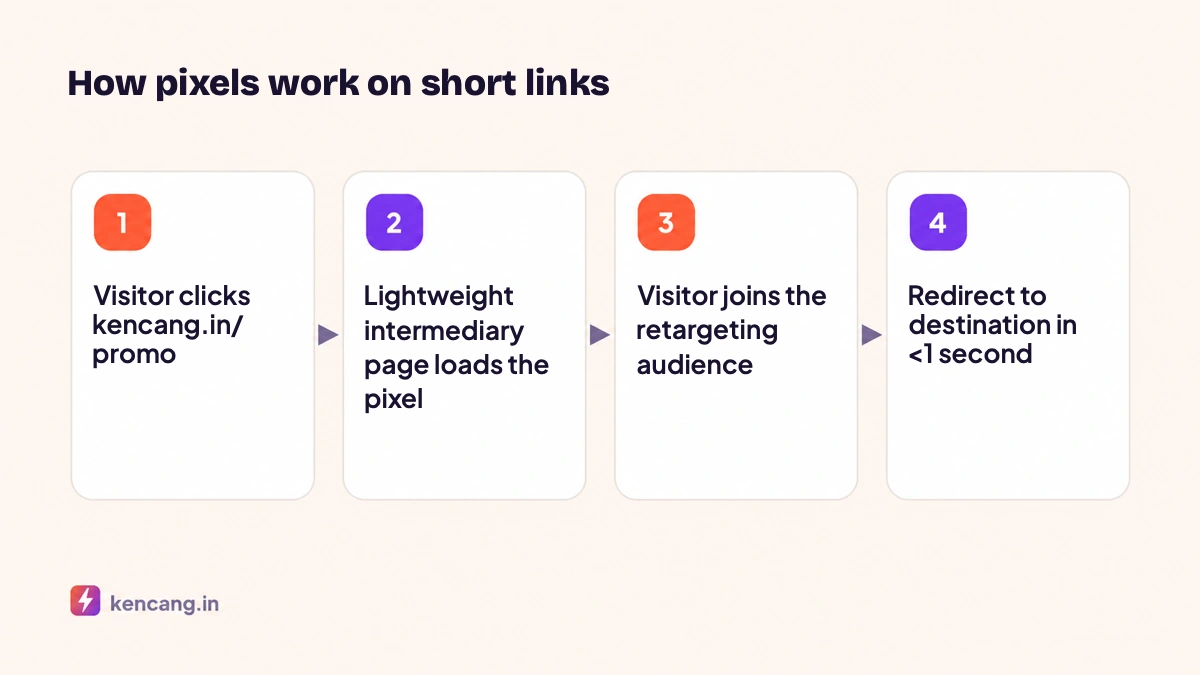
When someone clicks a link with a pixel, Kencang.in serves a very lightweight intermediary page, loads the pixel script, then redirects to the destination. This takes less than one second and shows no ads. Visitors barely notice, but the advertising platform records the visit as a PageView event from your pixel.
Supported platforms
- Meta Pixel (Facebook and Instagram)
- TikTok Pixel
- Google Ads and Google Analytics (GA4)
- Google Tag Manager, which opens the door to other tags
- LinkedIn Insight Tag, Pinterest, Snapchat, X (Twitter), Quora, Bing, Adroll
Installation steps
- Get the pixel ID from the advertising platform. For Meta, find it in Events Manager; see the official guide in the Meta Pixel documentation. For TikTok, ID is in Assets > Events in TikTok Ads Manager.
- In the Kencang.in dashboard, open the Pixelsmenu, click Add Pixel, choose the platform, give it a name, and paste the ID.
- When creating or editing a link, open the Pixels tab and select the pixels to add. One link can contain several pixels.
- Test with a platform testing tool, such as Meta Pixel Helper or Test Events, by clicking a short link from your phone.
The number of pixels per account depends on your plan; see the pricing page.
Proven strategies
1. Links to marketplaces
You advertise on Instagram and send visitors to a marketplace store. Without a pixel on the link, you lose audience data. With a pixel on a short link, everyone who clicks can be retargeted with follow-up ads, such as free-shipping promotions.
2. Third-party content
Sharing a product review from a media outlet? Add a pixel to the link. People reading the review are a warm audience for your next ads.
3. Bio pages and WhatsApp
A WhatsApp button on a bio page that goes through a short link with a pixel adds people starting chats to your audience, allowing reminders if the conversation stops.
4. Purchaser exclusion
Use a different link for the thank you or confirmation page, then exclude that audience from retargeting ads to avoid wasting budget.
Combining pixels with UTM parameters and targeting
Pixels answer "who clicked", while UTM parameters answer "from which ad". Use both; see the guide to UTM parameters for advertising. Add geotargeting if your audience needs different pages for each city; the pixel remains in place for every destination variation.
Privacy and transparency
Adding pixels shares visit data with advertising platforms. Explain this in your privacy policy and respect users' cookie preferences in regions that regulate them. Kencang.in offers a cookie consent banner that link owners can enable; when enabled, pixels load only after consent. Our own policy is available on the Privacy Policy.
Troubleshooting
- Pixel not detected: make sure the link uses a redirect type that loads an intermediate page (not "direct"). The system sets this automatically when the pixel is checked.
- Fewer events than clicks: normal, because some browsers block trackers. Compare trends, not absolute numbers.
- Redirects feel slow: check whether too many pixels are installed on one link; limit it to the platforms you actually advertise on.
With pixels on links, each click represents both a number in a report and a potential customer you can reach again.
Frequently asked questions
Do pixels slow down redirects?
The intermediary page loads in less than one second on a normal connection. Add pixels only for platforms where you actually advertise; every extra pixel adds a script that must load before the redirect.
Why are there fewer pixel events than clicks?
Some browsers and extensions block tracking scripts, and some users reject cookies. This is normal on all sites. Use pixel data to build audiences and read trends, not as an absolute click counter.
Does the pixel work on links to marketplaces?
Yes, that's the main use. The pixel is loaded on Kencang.in's intermediary page before visitors are redirected to the marketplace, so you can still build your retargeting audience even if you can't install the code on the destination site.
Do I need a cookie consent banner?
It depends on your audience's region. Kencang.in provides an optional consent banner; when enabled, pixels load only after visitors consent. Explain pixel use in your privacy policy.